BalbharatiMaharashtra State Board Class 11 Information Technology SolutionsChapter 1 Basics of Information Technology Textbook Exercise Questions and Answers.
Maharashtra State Board Class 11 Information Technology Solutions Chapter 1 Basics of Information Technology
1. Complete the following activity.
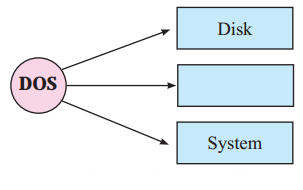
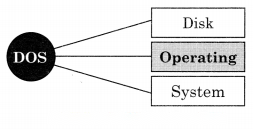

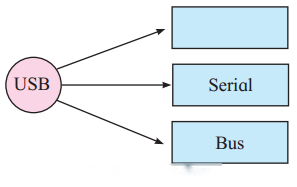
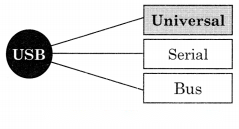
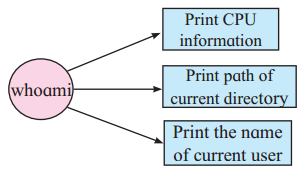
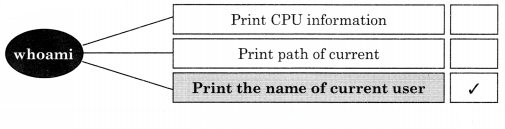
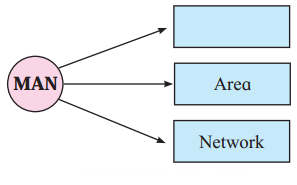
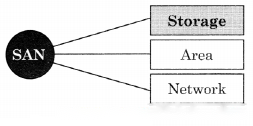
2. Divide the following list of devices into appropriate categories.

Categories | Names |
Input Devices | Barcode reader, Keyboard, Optical Character reader |
Output Devices | Monitor, Printer, Speaker |
3. Multiple choice two correct answers.
4. Match the following.
1. IS | (a) change directory |
2. FTP | (b) Translates Network Address |
3. CD | (c) List of Directory |
4. DNS | (d) To transfer file on interent |
1. IS | (c) List of Directory | ||||||||||||||||||
2. FTP | (d) To transfer file on interent | ||||||||||||||||||
3. CD | (a) change directory | ||||||||||||||||||
4. DNS | (b) Translates Network Address 5. Name the following and complete the diagram.
Question 1
Maharashtra Board Solution
Solution & Step-by-Step Answer:
6. Complete the following with Linux commands with their use.
Question 1
Maharashtra Board Solution
Solution & Step-by-Step Answer:
7. Complete the list of the following protocols.
Question 1
Maharashtra Board Solution
Solution & Step-by-Step Answer:
8. Complete the following Long form.
Question 1
Maharashtra Board Solution
Solution & Step-by-Step Answer:
9. Identify the following activity.
Question 1
Maharashtra Board Solution
You are typing a letter using a computer and suddenly there is a power failure. Which type of Memory does this activity deal with?
Solution & Step-by-Step Answer:
Random Access Memory
10. Answer the following.
Question 1
Maharashtra Board Solution
What are Data and Information? Give examples of data and information.
Solution & Step-by-Step Answer:
Data can be any character, text, word, number, or raw facts. Example of Data: Mumbai, 1234, Aditya, MG Road, Maharashtra, 9444444441, 411004
Information is data formatted in a manner that allows it to be utilized by human beings in some significant way.
Question 2
Maharashtra Board Solution
Explain functional units of a computer system.
Solution & Step-by-Step Answer:
The computer system has the following three basic components: Input Unit: An input device is any hardware device that sends data to a computer, allowing you to interacts with and controls it. Data can be in the form of words, symbols, numbers, etc. The function of the input device is to direct commands and data into the computer. For example keyboard, mouse, scanners, digital cameras, joysticks, and microphones.
Central Processing Unit: (a) Arithmetic and Logic Unit: An arithmetic logic unit (ALU) is a major component of the central processing unit of a computer system. It does all processes related to arithmetic and logic operations like add, subtract, multiply, etc. (b) Control Unit: The control unit (CU) is a component of a computer’s central processing unit (CPU) that directs the operation of the processor. It tells the computer’s memory, arithmetic, and logic unit, and input and output devices how to respond to the instructions that have been sent to the processor. (c) Memory Unit: A memory unit is the amount of data that can be stored in the storage unit. Once the data has been entered using input devices, the system stores the data in the memory unit. Types of Memory: Primary Memory & Secondary Memory. Output Unit:
Question 3
Maharashtra Board Solution
What is a storage unit? Explain types of primary memory storage.
Solution & Step-by-Step Answer:
When a user enters data using input devices, the computer system stores this data in a memory unit i.e. storage unit. The storage unit uses a set of pre-programmed instructions to further transmit this data to other parts of the CPU. There are two types of memory
RAM: It stands for Random Access Memory. RAM is known as reading/write memory. It is the main memory of the computer system. The information stored in this memory is lost as the power supply to the computer is switched off, so it is also called as “Volatile Memory”. ROM: It stands for Read-Only Memory. ROM is permanent memory. The content is not lost when the power supply is switched off. ROM cannot be overwritten by the computer, so it is also called “Non-Volatile Memory”.
Question 4
Maharashtra Board Solution
Explain how Linux is different from Windows.
Solution & Step-by-Step Answer:
Question 5
Maharashtra Board Solution
Write down the difference between LAN, MAN, and WAN.
Solution & Step-by-Step Answer:
|